1. Remote Control: Simple and Convenient
A handheld remote is often the most straightforward way to operate motorized blinds. Depending on the system, the remote may control one blind or several blinds grouped together.
What you may be able to do
- Open or close the blinds with a button.
- Adjust the position without reaching the window.
- Control a group of blinds together, if the system supports grouping.
A remote can be a good choice if you want easy everyday operation without using a phone or setting up a smart-home system. It is also useful for household members or guests who prefer physical buttons.
2. Smartphone App: Control from Your Phone
Some motorized blind systems can connect to a smartphone app. Depending on the manufacturer and setup, the app may let you operate individual blinds, create groups or set schedules.
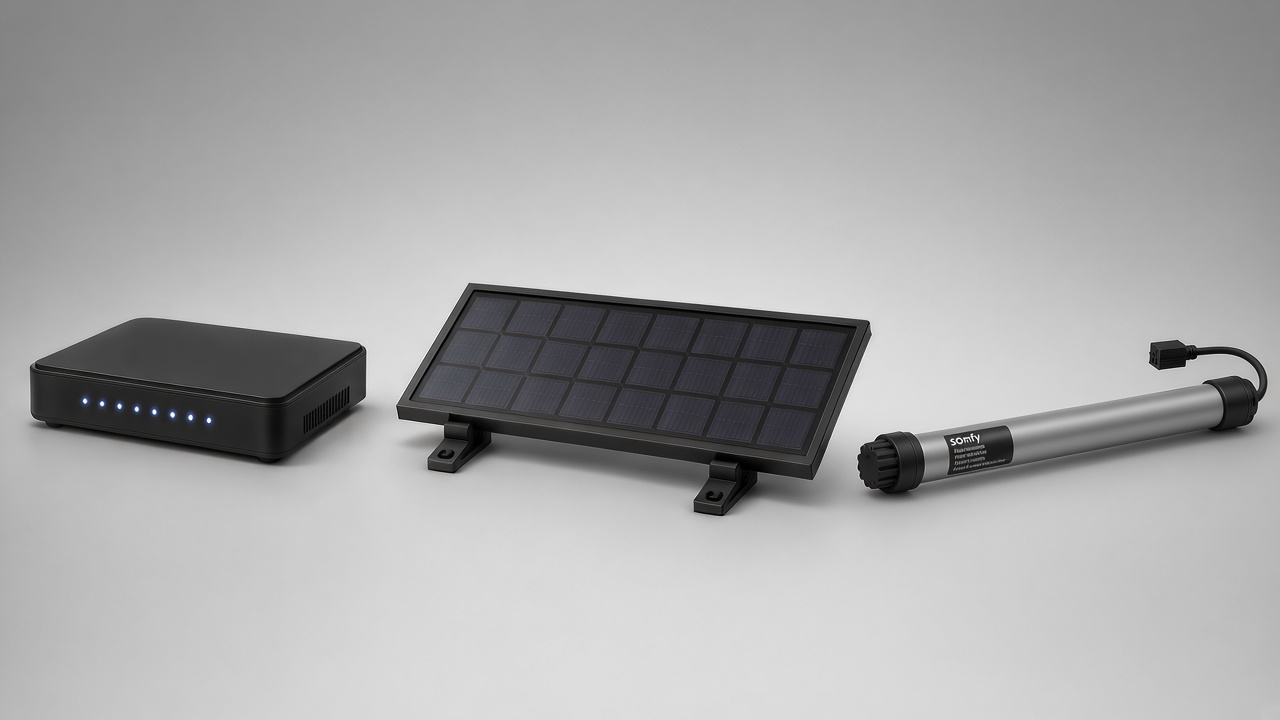
Smart-home and solar options depend on the selected motorized blind system.
Possible app features
- Individual control: adjust a selected blind from your phone.
- Group control: operate multiple compatible blinds together.
- Schedules: set blinds to move at chosen times, if supported.
- Remote access: some systems allow control away from home when the hub and app are connected to the internet.
Phone control may require a compatible smart hub or bridge, an app account and a suitable internet connection. Some systems use a hub while others have different connection methods. Always check the exact requirements for the motor you are considering.
3. Alexa and Google Home: Voice Control
Selected motorized blind systems can integrate with smart-home assistants such as Amazon Alexa or Google Home. If the system is compatible and correctly configured, you may be able to use voice commands to open, close or adjust your blinds.
How voice control can help
Imagine settling on the sofa and asking your compatible smart assistant to close the living room blinds. Voice control can be convenient when your hands are busy or when you want to operate a group of blinds without finding a remote.
Voice control is an optional feature, not something every motorized blind automatically supports. Compatibility may depend on the motor, hub, app, smart-home platform and region.
Remote vs App vs Voice Control
Here is a quick comparison of the three control methods.
| Feature | Remote | Phone App | Alexa / Google Home |
|---|---|---|---|
| Physical buttons | Yes | No | No |
| Control from phone | No | Yes, if supported | Through compatible setup |
| Voice commands | No | Not usually | Yes, if compatible |
| Schedules | Depends on system | Often available on supported systems | Depends on integration |
| Smart hub / network | Not always required | May be required | Often required |
| Best for | Simple everyday use | Flexible phone control | Hands-free operation |
This table is a general guide. Features vary by brand and model, so the specifications of the selected motorized system should always be confirmed.
Do You Need a Smart Hub or Wi-Fi?
Not necessarily for basic remote operation. A remote may communicate directly with the motor using the system's supported wireless technology. App control and voice integration are more likely to require an additional hub, bridge, compatible network or manufacturer account.
Before choosing a system, ask:
- Does the motor include a remote, or is it an optional accessory?
- Is a smart hub or bridge required for app control?
- Does the system work with Alexa, Google Home, or both?
- Can you create schedules and control blinds in groups?
- Is control available when you are away from home?
- What charging or power options are available for this motor?
Which Control Option Is Right for Your Home?
Choose a remote if…
You want straightforward operation, physical buttons and a simple setup for everyday use.
Choose app control if…
You like managing blinds from your phone and want features such as groups or schedules, provided the selected system supports them.
Choose voice control if…
You already use Alexa or Google Home and want hands-free operation. Confirm compatibility and any hub requirements before ordering.
You do not always have to choose only one method. Some systems support a remote alongside app or voice control. The available combination depends on the motor and accessories.
Motorized Zebra Blinds in Calgary
Motorized Zebra blinds combine the adjustable light control of alternating sheer and opaque fabric bands with the convenience of a motor. They can be a practical option for living rooms, bedrooms and windows that are harder to reach.
During a consultation, it is helpful to discuss the number of blinds, how you want to operate them, whether you want smart-home integration and what power or charging options are suitable for the installation.
Plan Your Motorized Blind Setup
DreamBlinds can help you explore motorized window-covering options for your home. Ask about the available motors, remotes, smart controls and charging solutions before choosing a configuration.
Book a Free ConsultationFrequently Asked Questions
1. Can motorized blinds work with a remote only?
Yes. Many systems can be operated with a compatible handheld remote. The exact remote functions and number of blinds it can control depend on the selected motor and control system.
2. Do I need Wi-Fi to control motorized blinds from my phone?
Phone control usually requires a compatible hub or bridge and a suitable home network. Requirements vary by motor brand and system, so check the product specifications.
3. Can Alexa or Google Home control motorized blinds?
Some systems integrate with Alexa or Google Home, sometimes through a compatible hub or app. Not every motor supports these platforms.
4. Can I control my blinds when I am away from home?
Remote access may be available with selected app and hub setups connected to the internet. It is not a standard feature of every motorized blind system.
5. Can I use a remote and an app at the same time?
Some systems support more than one control method. Confirm that the motor and accessories you select allow the combination you want.
6. Are motorized Zebra blinds available in Calgary?
Contact DreamBlinds to discuss available motorized Zebra blind options, measurements and installation for your home in Calgary.
Make Everyday Light Control Easier
Explore custom motorized blinds designed around your windows, your home and the way you live.
Free consultation · Free measurements · Professional installation
DreamBlinds · Calgary, Alberta